|
Tips for Back-to-school Technology Shopping
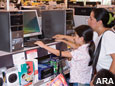
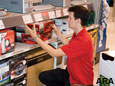
(ARA) – Remember when your biggest back-to-school shopping challenge was finding your elementary student the coolest pair of sneakers and trendy T-shirts?
Now they’re high-school or college bound and it’s a lot more complicated.
Today, shopping for school means making sure they have all the technology they’ll need to make it through the school year. But before you buy, make sure you do your homework and know what kids really need to succeed.
“Computers in school are now as commonplace as computers in homes,” says Paul Ewert, executive vice president and general merchandising manager of CompUSA. “Parents and educators have come to rely on technology as an important tool to enhance learning for children.”
Preparing your children in terms of technology requires more than just making sure their laptop is in working order. Ewert and the technology experts at CompUSA offer the following tips to help you make smart back-to-school shopping decisions:
* If your teenager carries his laptop to school, be sure to invest in locks. Locks will prevent unauthorized users from stealing or accessing the computer. Choose cut-resistant galvanized steel combination locks. CompUSA offers locks that can be user-programmed with up to 10,000 different combinations.
* A great alternative to carrying the entire laptop is to invest in a USB flash drive. “USB flash drives have become hugely popular as reliable, portable pocket-sized means of saving papers, presentations and even music and photos in a device smaller than your thumb,” Ewert says. “For most students’ needs, 1GB and higher capacities are recommended, with 2GB becoming the new standard for safe storage of information large enough for most purposes.”
* For safeguarding important schoolwork, as well as photos, videos and music, an external hard drive acts as a “safe-deposit box.” The drives can be used to back up data in the event of a system crash, corrupted files, accidental erasures or similar maladies common in computers used in a student environment. “Students should consider an external hard drive of 300 MB or greater, up to 1 Terabyte,” says Ewert. “The bigger they are, the more information they can store.”
* Many students are also using their cell phones or digital cameras to store photos, videos and music. Additional memory cards greatly expand the storage capacity of these devices. “The most popular memory card is the mobile Secure Digital (SD) cards for cell phones,” suggests Ewert. “These are good for saving hundreds of pictures, music files, etc., on a student’s phone or Blackberry.”
* Repetitive motion injuries are common among people who spend hours a day typing, including students. An ergonomic keyboard and mouse can help prevent injury and improve posture by helping position the hands, wrists and forearms naturally. Ewert recommends you test-drive a model in the store before you buy it. “Everyone’s hands and wrists are unique,” he says. “It’s important to find the one that best fits you.”
* All work and no play makes for very bored students, so be sure to throw in some technology that’s just for fun, like Slingbox, which allows students to tune into their local TV shows while away at school, and add-on TV Tuners that can turn a dorm room PC into a complete entertainment center.
* Finally, on a practical note, consider how you will handle situations when your computer and other technology are not working properly. Consider investing in a technology service plan for your students. Often, this can be available at a discount when you purchase a new laptop or desktop computer. This back-to-school season, CompUSA is offering 30 days of unlimited technical support for just $29.99 with the purchase of a PC. Many computer retailers charge $50 or more for a one-time service call.
To learn more about back to school technology, stop by your local CompUSA store or go online to www.compusa.com to view a Back to School Buying Guide.
Courtesy of ARAcontent


 |